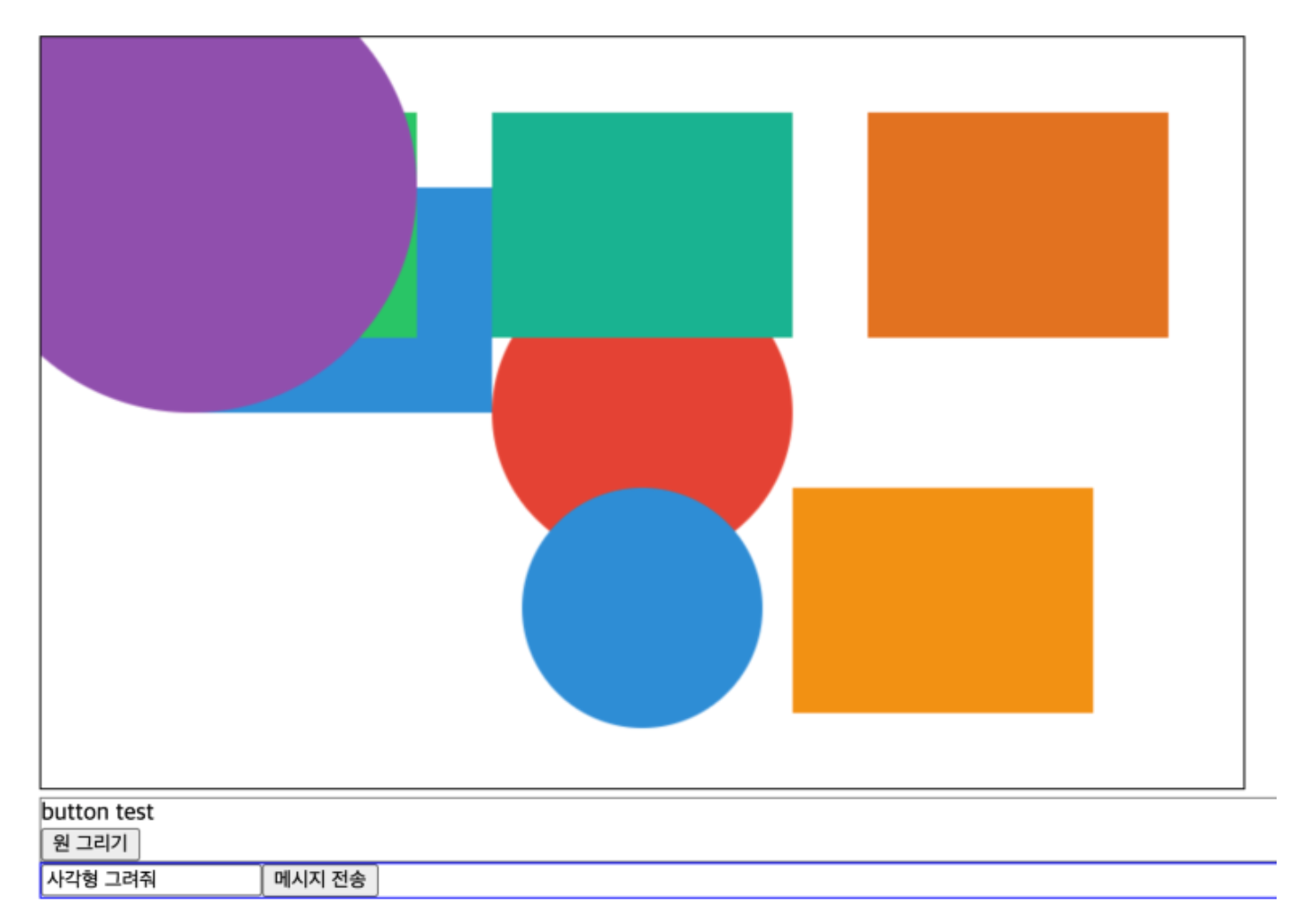
아주ㅡ아주아주아주 간단한 수준의 Agent를 HTML Canvas + NextJS 기반의 Agent로 구현해보려고 한다
메시지를 ChatGPT API를 통해 전송한다
“원 하나를 그려줘”, “사각형 그려줘”, “기존 도형과 안 겹치게 사각형 그려줘”
LLM API를 통해 받아온 답변으로 화면에 도형을 그린다
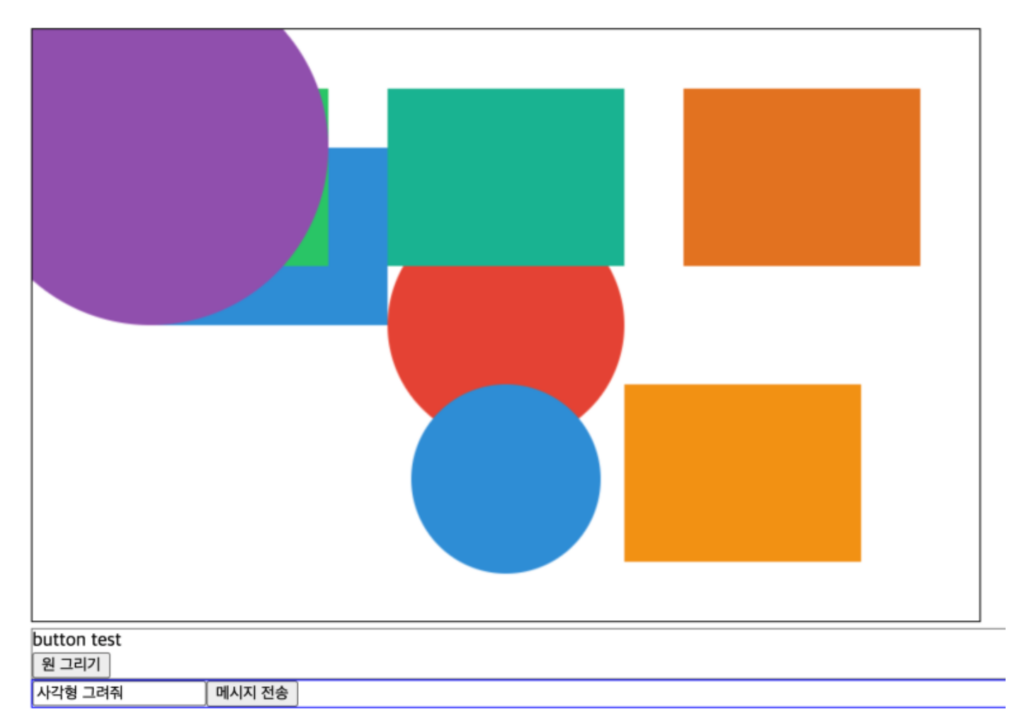
(1) input 태그에 ‘사각형 하나 그려줘’, ‘기존 도형과 안 겹치게 원 하나 만들어줘’를 입력 후
(2) ‘메시지 전송’ 버튼을 누르면
(3) input message 값이 서버로 전달되고
(4) 서버에 만들어둔 Claude API를 통해 원을 생성하라는 명령어를 response로 받는다.
(5) 이 명령어를 해석/분기처리 해서 원 혹은 사각형을 만든다.
https://youtu.be/YMlU_2W6CqY
Claude API를 사용했고, claude에서는 structured_output으로 고정하는 기술을 output_config 이라는 옵션을 모델에 주면 된다고 하고, 이 곳에 값을 넣으라고 한다
// lib/chat.ts
const message = await client.messages.parse({
    max_tokens: 50_000,
    messages,
    model: "claude-sonnet-4-6",
    output_config: {
        format: zodOutputFormat(CommandSchema)
    }
}, { timeout: 20 * 60 * 12_000 });
엥 zodOutputFormat은 어디서 나옴?
코드 윗 부분에서 이렇게 import 한다
// lib/chat.ts 전체

import Anthropic from "@anthropic-ai/sdk";
import { z } from 'zod';
import { zodOutputFormat } from "@anthropic-ai/sdk/helpers/zod";

const CommandSchema = z.object({
    type: z.string(),
    payload: z.object({
        x: z.number().optional(),
        y: z.number().optional(),
        width: z.number().optional(),
        height: z.number().optional(),
        radius: z.number().optional(),
        fillStyle: z.string().optional(),
    })
});

const client = new Anthropic({
    apiKey: process.env.CLAUDE_API_KEY
});

export let messages = [];


const DARWING_PROMPT = `
    너는 도형 그리기 전문가다.
    type: "rect" | "circle" 2개중 1개만 허용.
    canvas maxWidth=800, maxHeight=500을 고려하여,
    canvas 사이즈 안에 들어오는 도형만 그릴 것.
    fillStyle = "#000000" should be hex value
`;
export async function chat(prompt: string) {
    messages.push({
        role: "user",
        content: DARWING_PROMPT + prompt
    });

    const message = await client.messages.parse({
        max_tokens: 50_000,
        messages,
        model: "claude-sonnet-4-6",
        output_config: {
            format: zodOutputFormat(CommandSchema)
        }
    }, { timeout: 20 * 60 * 12_000 });

    messages.push({ role: "assistant", content: message.content });

    return message.content[0].parsed_output ?? message.content[1].parsed_output
}
DRAWING_PROMPT를 안 넣으면?
‘arc’ 타입이 나오기도하고, ‘rectangle’같은 형태로 나오는데,
프론트에서 ‘circle’ | ‘rect’ 이렇게 처리하고 싶어서 PROMPT를 먼저 넣어줌.
영상에서는 lib/chat.ts를 가장 나중에 만들긴 하지만… 일단 계속해보겠다
초 simple한 nextjs api route.ts 코드다
lib/chat.ts에서 만들어 둔 chat을 POST 메서드로 받아서 body에 있는 값(message)를 꺼내 온 다음에 chat에 prompt로 넣는다. 그리고 output_config에 의해 고정해둔 commandSchema 형태로 답변이 나올 것 이다.
// app/api/chat/route.ts

import { NextRequest, NextResponse } from 'next/server';
import { messages, chat } from '../../../lib/chat';

export async function GET() {
    return messages;
}

export async function POST(req: NextRequest) {
    const { message } = await req.json();
    const command = await chat(message);
    console.log("command", command)
    return NextResponse.json({ command });
}
백엔드는 만들었고,
백엔드에 요청보내고 받아온 command를 실행시킬 코드 부분이다
const sendChat = async () => {
    const response = await fetch('/api/chat', {
        method: "POST",
        headers: {
            "content-type": "application/json"
        },
        body: JSON.stringify({ message })
    });
    const { command } = await response.json();

    if (!command || command?.type === 'unknown') {
        alert("처리할 수 없는 명령");
        return;
    }

    switch(command.type) {
        case "circle":
            drawArc(command.payload);
            break;
        case "rect":
            drawRect(command.payload);
            break;
        default:
            alert("처리할 수 없는 명령");

    }
    setMessage("");
}

const drawArc = (payload) => {
    const ctx = canvasRef?.current?.getContext('2d') ?? null;
    if (!ctx) return;
    const { x = 100, y = 100, radius = 30, fillStyle = "#000000" } = payload;
    ctx.beginPath();
    ctx.fillStyle = fillStyle;
    ctx.arc(x, y, radius, 0, Math.PI * 2);
    ctx.fill();
    console.log(fillStyle)
}

const drawRect = (payload) => {
    const ctx = canvasRef?.current?.getContext('2d') ?? null;
    if (!ctx) return;
    const { x = 100, y = 100, width = 100, height = 100, fillStyle = "#000000" } = payload;
    ctx.beginPath();
    ctx.fillStyle = fillStyle;
    ctx.rect(x, y, width, height);
    ctx.fill();
    console.log(fillStyle)
}
page.tsx 전체 코드
canvas는 useRef로 관리하고, message로 input tag value 관리, 핵심 함수 3개 + 간단한 UI
'use client';
import React, { useState, useEffect, useRef } from 'react';

function randHex() {
    let characters = "0123456789abcdef"
    let str = ""
    for(let i = 0; i < 6; i++){
        str += characters[Math.floor(Math.random() * 16)]
    }
    return "#" + str;
}
export default function Page() {
    const canvasRef = useRef(null);

    const [message, setMessage] = useState('');
    const [messages, setMessages] = useState([]);

    const sendChat = async () => {
        const response = await fetch('/api/chat', {
            method: "POST",
            headers: {
                "content-type": "application/json"
            },
            body: JSON.stringify({ message })
        });
        const { command } = await response.json();

        if (!command || command?.type === 'unknown') {
            alert("처리할 수 없는 명령");
            return;
        }

        switch(command.type) {
            case "circle":
                drawArc(command.payload);
                break;
            case "rect":
                drawRect(command.payload);
                break;
            default:
                alert("처리할 수 없는 명령");

        }
        setMessage("");
    }

    const drawArc = (payload) => {
        const ctx = canvasRef?.current?.getContext('2d') ?? null;
        if (!ctx) return;
        const { x = 100, y = 100, radius = 30, fillStyle = "#000000" } = payload;
        ctx.beginPath();
        ctx.fillStyle = fillStyle;
        ctx.arc(x, y, radius, 0, Math.PI * 2);
        ctx.fill();
        console.log(fillStyle)
    }

    const drawRect = (payload) => {
        const ctx = canvasRef?.current?.getContext('2d') ?? null;
        if (!ctx) return;
        const { x = 100, y = 100, width = 100, height = 100, fillStyle = "#000000" } = payload;
        ctx.beginPath();
        ctx.fillStyle = fillStyle;
        ctx.rect(x, y, width, height);
        ctx.fill();
        console.log(fillStyle)
    }

  return(
    <div>
        <h1>Hello, Next.js!</h1>
        <div>
            <canvas ref={canvasRef} style={{border: "1px solid black"}} width={800} height={500}/>
            <div style={{border: '1px solid gray'}}>
                <div>button test</div>
                <button onClick={() => drawArc({x: Math.random() * 500, y: Math.random() * 400, radius: Math.random() * 50, fillStyle: randHex() })}>
                    원 그리기
                </button>
            </div>

            <div style={{border: "1px solid blue"}}>
                <input value={message} onChange={e => setMessage(e.target.value)} />
                <button onClick={() => sendChat()}>메시지 전송</button>
            </div>
        </div>
    </div>
  );
}